

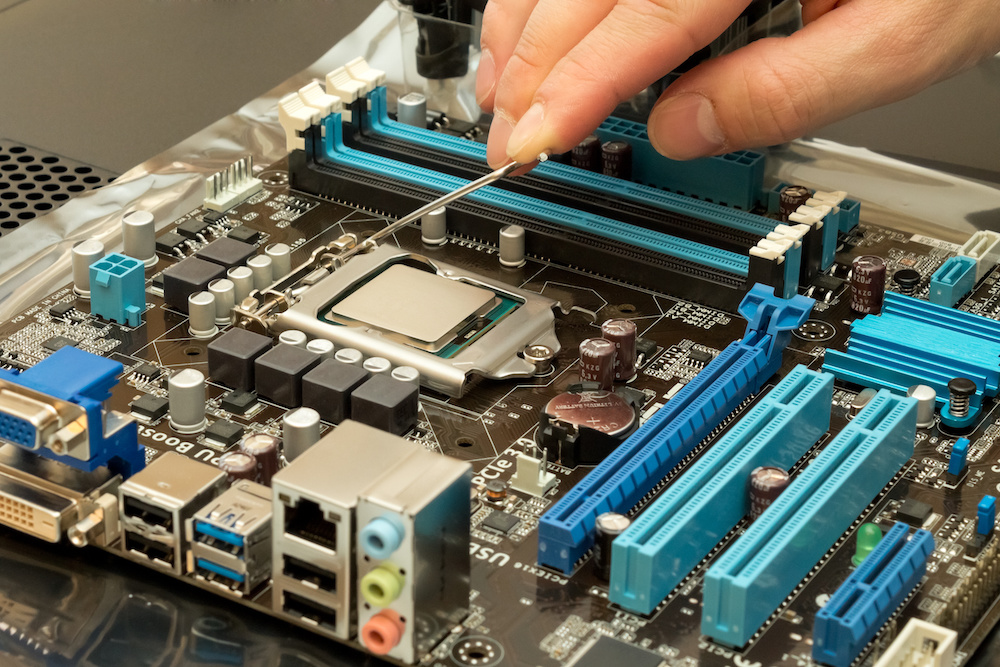
Your computer’s motherboard is its central nervous system—connecting and coordinating every component. Whether you’re building a PC, troubleshooting issues, or planning an upgrade, you might be wondering: How long do motherboards last?
In this guide, we’ll break down the average lifespan of motherboards, factors that affect their durability, signs of failure, and how to extend their life for maximum value.
What Is a Motherboard?
A motherboard (also known as a mainboard or mobo) is the main circuit board of a computer. It houses the CPU, RAM, storage interfaces, GPU slots, and power connectors. All hardware components interact through it, making it vital for performance and stability.
How Long Do Motherboards Last on Average?
Short Answer:
Motherboards typically last 5–10 years under normal conditions.
Detailed Breakdown:
| Use Case | Expected Lifespan |
| General Office/Home Use | 7–10 years |
| Gaming/High Performance | 4–6 years (due to higher thermal stress) |
| Overclocked Systems | 2–5 years |
| Mining Rigs or Servers | 3–5 years |
| Properly Maintained Boards | 10+ years possible |
Many motherboards outlive their usefulness because technology evolves quickly. While a board may last 10 years physically, it could become obsolete within 5–7 years due to CPU, RAM, and GPU compatibility changes.
What Factors Affect Motherboard Lifespan?
Heat and Cooling
Excessive heat damages components over time. Poor airflow, bad thermal paste, and overclocking can reduce longevity.
Power Surges
Unstable power, brownouts, or lightning strikes can fry motherboards. Using a surge protector or UPS helps mitigate risk.
Dust and Dirt
Dust buildup leads to overheating and shorts. Regular cleaning can extend lifespan.
Component Quality
Premium boards with solid capacitors and VRM heatsinks tend to last longer than budget models.
Usage Intensity
Gaming, editing, or mining puts more stress on a motherboard than light office tasks.
Installation Quality
Incorrect component installation, loose screws, or ESD (electrostatic discharge) during handling can cause premature failure.
Signs Your Motherboard Is Failing
Recognizing early signs can help prevent full system failure.
Common Warning Signs:
- Random shutdowns or reboots
- No POST (Power-On Self-Test) screen
- Unrecognized hardware (GPU, RAM, USB devices)
- Burning smells or visible scorch marks
- Beeping sounds from motherboard speaker
- Blue screen errors (BSOD) with no apparent cause
If multiple components start acting up without clear issues, the motherboard is a likely suspect.
How to Extend the Life of Your Motherboard
Use a Surge Protector or UPS
Protect against power fluctuations and outages.
Maintain Proper Cooling
- Clean fans and heatsinks every 3–6 months
- Use quality thermal paste
- Ensure good airflow in your case
Avoid Overclocking
Overclocking shortens lifespan unless done cautiously with advanced cooling.
Update BIOS Carefully
Only update when necessary. A failed BIOS update can brick your board.
Choose Quality Components
Pairing your board with compatible, reliable hardware ensures longevity and stability.
When Should You Replace a Motherboard?
You should consider a replacement if:
- The board is physically damaged (burnt, cracked, warped)
- It’s incompatible with modern CPUs or RAM
- You’re upgrading other components (e.g., switching from DDR3 to DDR5 RAM)
- You experience frequent crashes, failed boots, or blue screens
If your system is older than 7 years, it’s often more cost-effective to replace the entire system or upgrade major components.
Are Motherboards Covered by Warranty?
Most motherboard manufacturers offer:
- 1–3 year standard warranties for consumer-grade boards
- 3–5 years for high-end or enterprise models
Check brand-specific policies (ASUS, MSI, Gigabyte, ASRock) for warranty claims.
SEO Insights: Why “How Long Do Motherboards Last” Matters
This query reflects informational search intent, often from:
- Gamers troubleshooting system errors
- DIY builders planning PC upgrades
- Tech-savvy consumers comparing product longevity
Related SEO keywords to include:
- motherboard lifespan
- signs of motherboard failure
- when to replace motherboard
- how to test a motherboard
- motherboard care tips
Including these terms in headers, image alt tags, and FAQs boosts organic visibility.
Conclusion
So, how long do motherboards last? With proper care, a quality motherboard can last 7–10 years, but heavy usage, overclocking, or poor maintenance can reduce that to just a few years. Understanding your usage style, investing in proper cooling, and using high-quality power supplies can make all the difference.
Keep an eye on early signs of failure and be ready to upgrade when your board no longer supports modern components or shows performance issues.
FAQs
1. Can a motherboard last 10 years?
Yes—especially if it’s lightly used and well-maintained. However, it may be outdated before it physically fails.
2. Does overclocking damage a motherboard?
Yes. Overclocking increases heat and electrical stress, which can shorten lifespan if cooling isn’t adequate.
3. What is the most common cause of motherboard failure?
Heat and power surges are the leading causes. Dust buildup and poor-quality components also contribute.
4. Is it worth replacing an old motherboard?
It depends. If other components are outdated too, replacing the whole system might offer better value.
5. How do I know if my motherboard is dying?
Look for signs like boot failures, hardware not being recognized, random crashes, or burning smells.
Also read: Interviewer Didn’t Look Too Happy During Interview? Here’s What It Could Mean
